SMS Opt-In and Consent
How FieldFrame's SMS program works and how to manage your consent
Last Updated: June 24, 2026
Overview
FieldFrame, a product of JL Peak Digital, LLC, offers an optional SMS (text message) notification program for users of its construction project management application. Through this program, users may receive text messages relating to their projects and account, including project updates, invitations, invoices, and account activity. Enrollment in the SMS program is entirely optional, and opt-in is always explicit: FieldFrame does not send SMS messages to any user who has not affirmatively consented to receive them. You are not required to enable SMS to use the Service.
How to Opt In
There are four ways to enroll in the SMS program: two during account signup and two from your account settings after signup. In every case, opt-in is explicit and requires both providing a phone number and affirmatively consenting to receive messages. The consent disclosure shown below is presented at the point of opt-in, and your consent is recorded with a timestamp. Each path is illustrated with a labeled screenshot below.
At signup
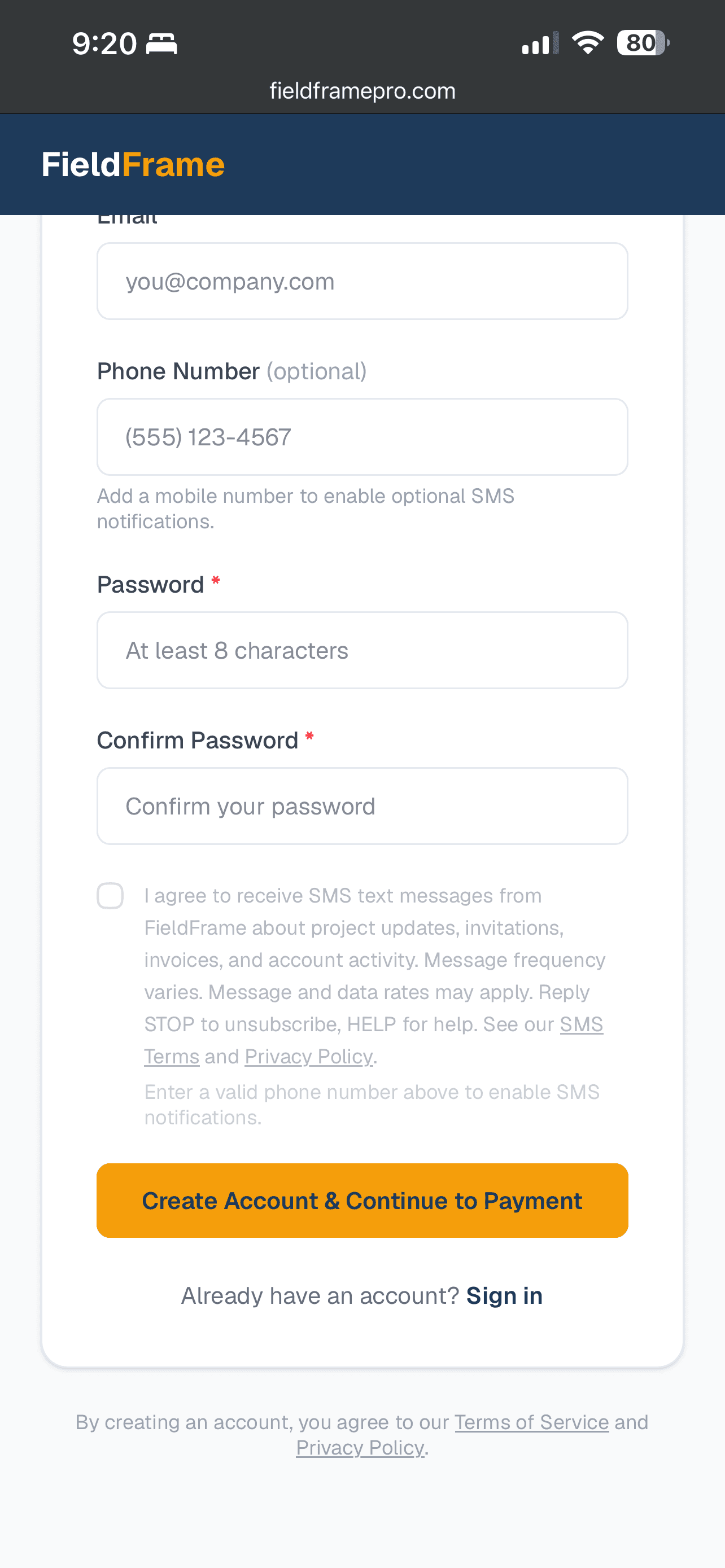
Website. During account registration on our website, the signup form includes a phone number field and a separate, unchecked SMS consent checkbox. Entering a phone number and affirmatively checking the consent box enrolls you in the SMS program. Consent is not a condition of creating an account or using the Service.
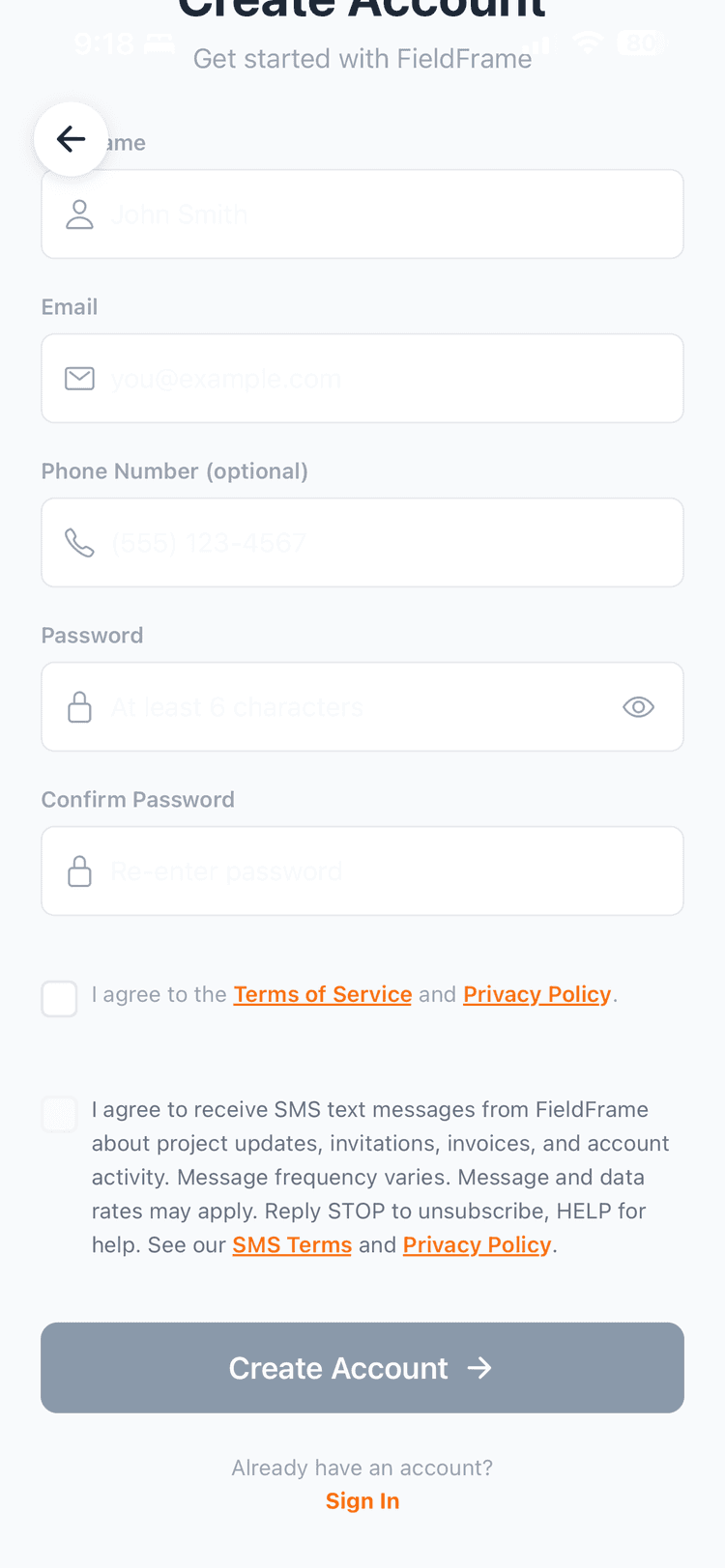
Mobile app. During account registration in the FieldFrame mobile application, the signup form likewise includes a phone number field and a separate, unchecked SMS consent checkbox. Entering a phone number and affirmatively checking the consent box enrolls you in the SMS program.
Visit our signup page → /signup
After signup
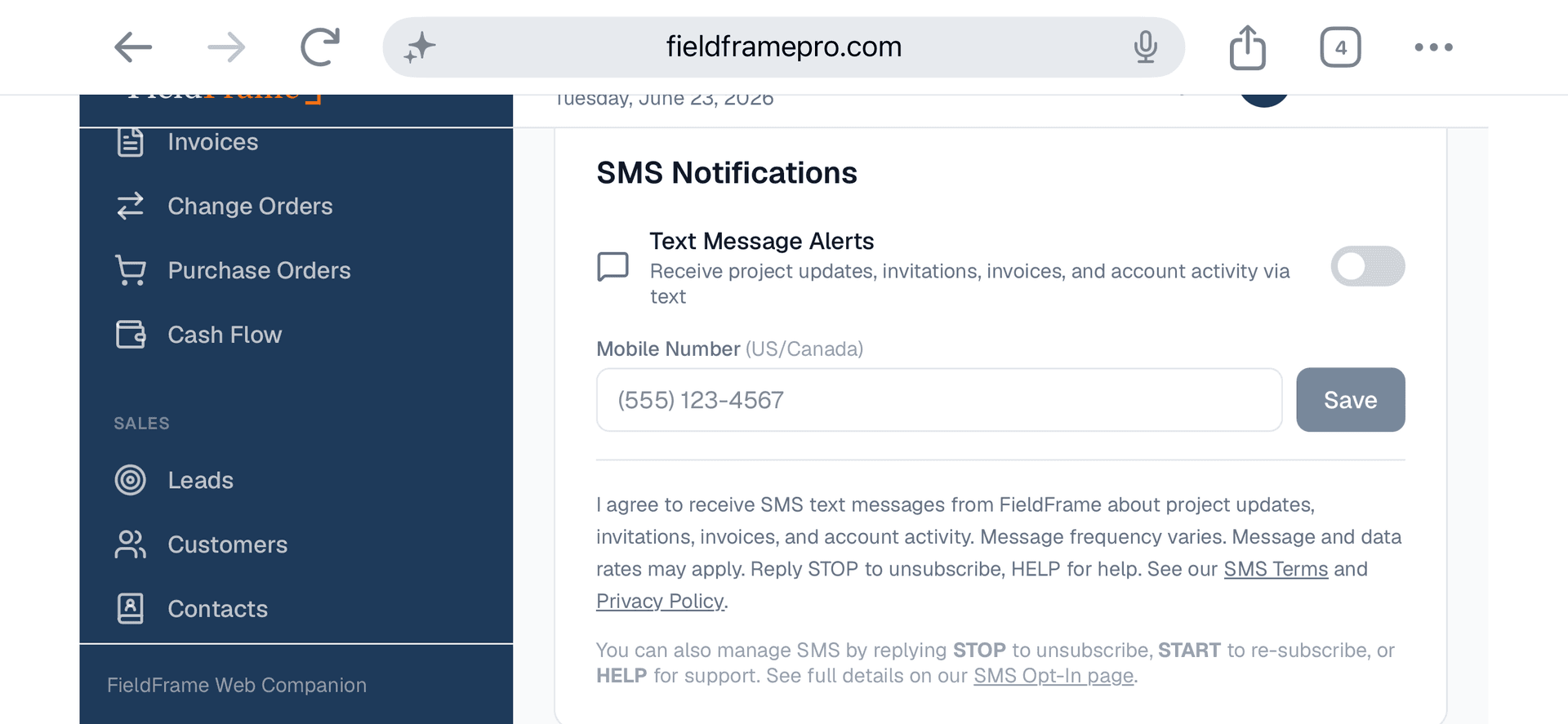
Website account settings. If you did not opt in at signup, you may enroll at any time from the SMS Preferences section of your account settings at /app/account. There you enter your phone number and toggle on SMS notifications.
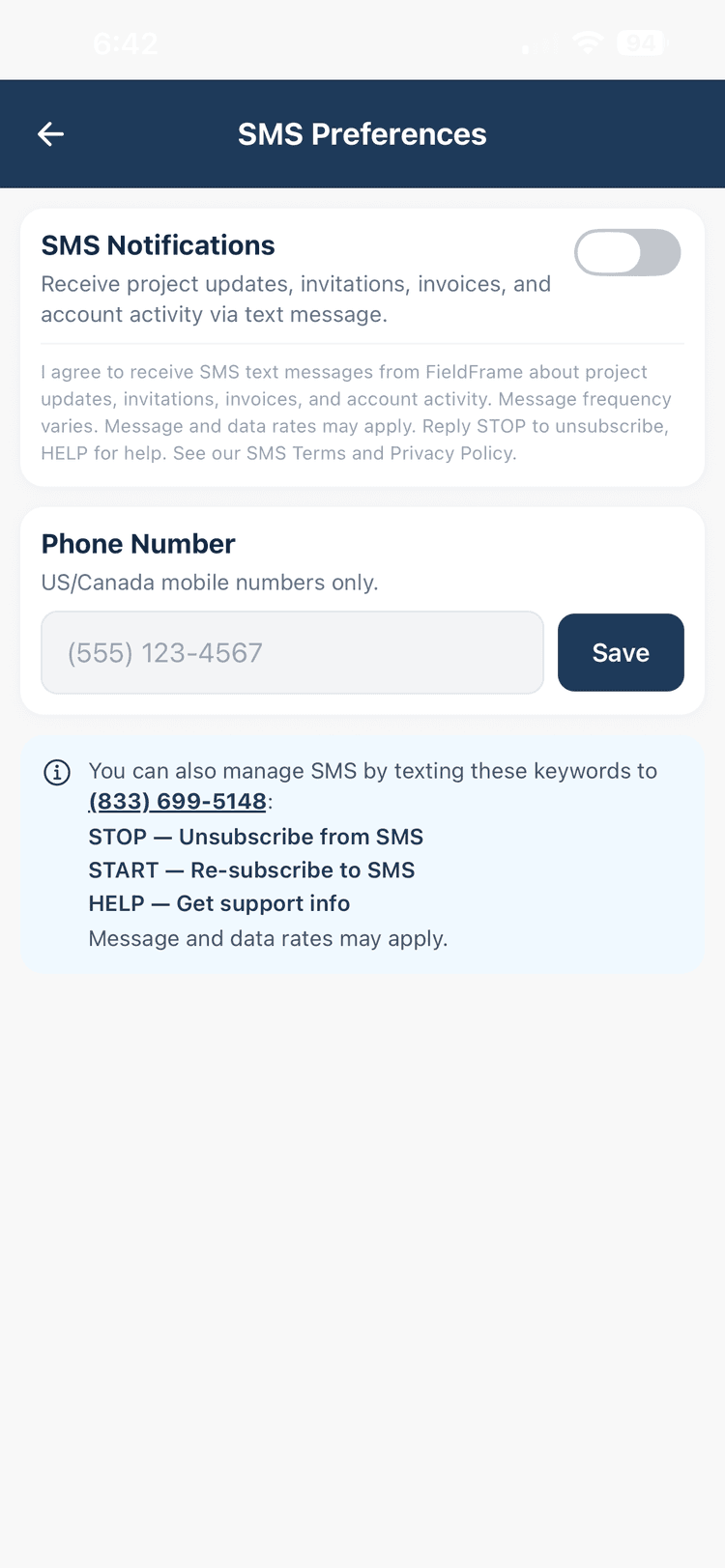
Mobile app. Within the FieldFrame mobile application, you may opt in through the SMS Preferences screen, reached from Settings. There you enter your phone number and toggle on SMS notifications.
Consent Disclosure
The following disclosure is presented to users at the point of opt-in:
Message Types and Frequency
Transactional
- Project invitations
- Change order approvals
- RFI notifications
- Team invites
Informational
- Project updates
- Schedule alerts
- Daily log summaries
Frequency
Message frequency varies based on project activity. You may receive up to approximately 10 messages per week during active project periods. Fewer messages are sent during inactive periods.
How to Opt Out
- Reply STOP to any message to unsubscribe immediately
- Toggle off SMS notifications in the app's SMS Preferences screen
- Reply HELP for support information
- Email us at support@fieldframepro.com
Privacy and Data Handling
Mobile opt-in data and consent are not sold, shared, or transferred to any third party or affiliate for marketing or promotional purposes. The only third party that receives your phone number is our SMS delivery provider (Twilio), solely to deliver the messages you have opted in to receive. We store your phone number, opt-in status, opt-in/opt-out dates, and message count for compliance purposes. For more detail, see the SMS sections of our Privacy Policy and Terms of Service.